


Silly Smile: Live Wallpaper 4K
4.72.00 Reviews
App Specs
- Version
- 1.0.5
- Updated On
- License
- Free
- Downloads
- 100,000+
- Developer
- Hong Kong Lux Limo Service Limited
- Categories
- Personalization
- Platform
- Android
Screenshots
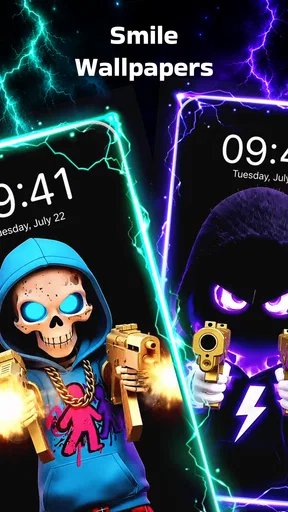
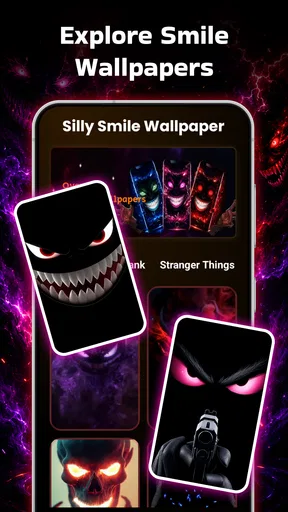
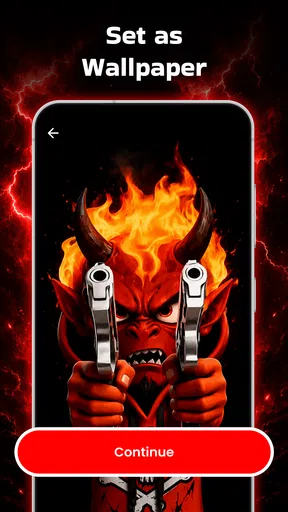
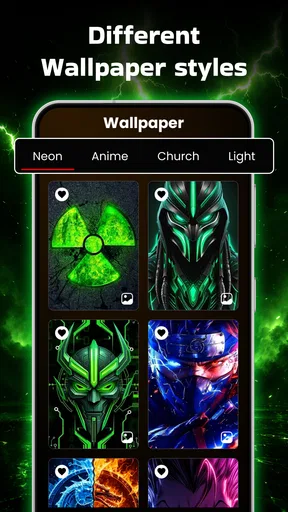
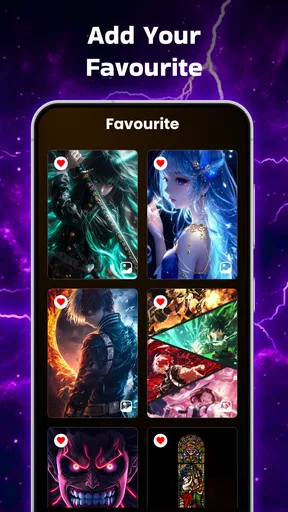
 Analysis by AppCompare
I like wallpaper apps that change the mood of a phone without asking me to redesign the whole interface. Silly Smile takes that simple idea in a playful direction, focusing on mischievous faces, bright expressions, high-resolution artwork, and animated backgrounds. After spending time with it, I see it as a personalization app for people who want their lock screen or home screen to feel less serious and more expressive.
The appeal is easy to understand: instead of choosing another landscape, abstract gradient, or generic photograph, I can use a smiling character or a slightly wicked-looking design that gives the phone some personality. The app is free to install, aimed at Everyone, and sits in the personalization category. It has reached over 100 thousand installs and holds a 4.7 average from roughly 500 ratings, which suggests that its central concept is connecting with the audience it targets.
How the current version feels in everyday use
The current release is version 1.0.5, developed by Hong Kong Lux Limo Service Limited. I would describe it as a focused app rather than a complete phone-customization suite. Its purpose is not to replace launchers, icon packs, widgets, or system themes. It is there to make the background itself more noticeable, particularly when a conventional still image feels too plain.
That focus is one of its strengths. I do not have to spend a long time building a visual system around the wallpaper. The concept is immediate: browse for a funny or wicked smile, look at how it might suit the screen, and decide whether the expression matches my mood. For someone who changes wallpapers often, that directness is more useful than a complicated editor filled with controls I may never touch.
The visual direction also gives the app a clear identity. Many wallpaper collections blur together because they offer the same sunsets, cars, flowers, and neon patterns. This one is more memorable because the face is the subject. A smiling design can make the phone feel friendly; a sly expression can make it feel playful; a more exaggerated image can work especially well for a child’s device or a user who enjoys cartoon-style personalization.
I would still keep expectations realistic. A 4K label describes the intended resolution of the backgrounds, not a guarantee that every image will look equally sharp on every phone. Screen size, display density, cropping, and the way a device handles animated backgrounds all affect the final result. On a modern high-resolution display, detailed artwork has the best chance of looking crisp, while older or lower-resolution hardware may make the difference less obvious.
Choosing between a still image and a live background
The most important practical decision is whether to use a static wallpaper or a live one. A still image is the safer everyday choice. It should be easier on battery life, less distracting, and more predictable when the phone is sitting on a desk or showing notifications. I would choose a fixed smile design for a work phone, especially if I want personality without movement.
Worth Reading Before You Choose

EA SPORTS FC Mobile 26 Is a Bigger Football Game, but It Takes Time

Flipboard Shows What News Apps Must Do Beyond the Feed

Switching to Android Auto Means Rethinking Your Driving Routine

Google Calendar Makes a Crowded Week Easier to Manage

Ludo King Makes the Most of the Minutes Between Plans

Baby Panda World Brings Quick Play to Modern Phones, but Its Game Library Feels Busy
Live backgrounds are better when the visual effect matters more than restraint. They can make the screen feel animated whenever I wake the device, which suits a personal phone or a short-term theme. The trade-off is that motion can become tiring if the design is too busy, and some phones may manage animated wallpapers differently from others. I would test one during a normal day before making it the permanent choice.
A useful workflow is to start with a still version for a day, then compare it with the live alternative under the same conditions. That makes it easier to judge whether the movement genuinely improves the screen or merely looks impressive during the first few minutes. It also prevents me from confusing novelty with long-term comfort.
What the release information tells me about its evolution
The app was released on June 19, 2026, and version 1.0.5 is the current version. That places it in an early stage of its product life, so I see this release as a foundation rather than proof of a mature customization platform. The useful question is not whether it already does everything a large wallpaper service can do; it is whether the present version delivers its narrow promise cleanly.
From that perspective, the version number matters because it signals that the app has moved beyond its first launch build while remaining relatively young. Existing users may notice a more settled experience than an initial release would provide, but I would not assume that the catalog, controls, or personalization depth will remain unchanged. A young app can improve quickly, yet it can also feel limited beside long-established wallpaper platforms with extensive sorting and customization tools.
I would watch future releases for practical improvements rather than flashy additions alone. Better ways to preview cropping, clearer separation between still and animated designs, and more control over how a background sits behind icons would have a direct effect on daily use. Those changes would make the collection easier to live with, not just easier to browse.
Who will get the most from it
This app makes sense for someone who wants a cheerful, unusual screen without creating artwork from scratch. It is particularly suitable for users who enjoy cartoon expressions, playful humor, or a phone that feels more personal than a default system background. It can also work for a themed home screen where the wallpaper is deliberately the main visual statement.
I can imagine using it before a trip, a party, or a change of season when I want my phone to reflect a temporary mood. A bold smile can also help distinguish a secondary device from a work phone at a glance. For families, the Everyone age rating makes the concept broadly approachable, although individual taste still matters because “silly” and “wicked” expressions will not appeal to every person.
It is less suitable for someone seeking realistic photography, minimalist gradients, professional-looking backgrounds, or a full design system with matching icons. If I want precise control over colors, typography, widgets, and layout, I would choose a more advanced customization tool. This app is strongest when I want a ready-made visual idea, not when I want to become the designer.
How it compares with ordinary wallpaper choices
The usual alternative is the phone’s built-in wallpaper picker. That option is convenient, stable, and often better integrated with the operating system. It may also provide a cleaner experience for users who care about battery efficiency or a neutral appearance. Silly Smile earns its place by offering a more distinctive personality than those default choices.
Another alternative is a broad wallpaper catalog with thousands of unrelated themes. A large catalog is helpful when I want landscapes, architecture, illustrations, or seasonal variety, but it can also create decision fatigue. Here, the narrower smile-centered identity is an advantage: I know what kind of visual mood I am looking for before I open the app.
Compared with a general live-wallpaper service, this app seems more approachable for casual experimentation. I do not need to understand animation settings or build a complicated scene to get a playful result. The compromise is breadth. A specialist collection built around smiling designs will not replace a platform that offers many artistic styles, advanced motion controls, or extensive community-created content.
Small decisions that improve the result
One of the easiest mistakes with a character wallpaper is choosing an image that competes with the icons. I would check the upper and lower parts of the preview before applying anything. If the face sits directly behind a crowded row of apps, the expression may lose its impact. A design with open space around the main subject can look better than a more detailed image once the real home screen is visible.
I would also match the expression to the screen I use most. A very energetic live background may be fun on the lock screen, where I see it briefly, but distracting on the home screen, where I return repeatedly. Using motion in one place and a calmer still image in the other can create variety without making the entire phone feel restless.
There is another useful distinction between a wallpaper that looks good in a preview and one that works with notifications. A bright smile may be attractive in isolation but reduce the readability of white text or notification badges. I prefer to judge the background with icons, widgets, and alerts visible rather than deciding from the artwork alone.
For a temporary theme, I would save the original wallpaper before experimenting. That sounds obvious, but it makes switching back painless if the new design feels too loud after a few days. The app is most enjoyable when changing the background remains a low-risk choice rather than a commitment to reorganize the phone.
Costs, limits, and the effect on existing users
The app is free, which makes trying the collection straightforward. It also includes in-app purchases ranging from $4.99 to $22.99 per item. That means I would pay attention to the purchase flow before treating the entire experience as cost-free. A free starting point is useful, but users should decide whether the available designs justify any optional spending for their own habits.
For existing users, the main benefit of the current version is likely continuity: the app remains centered on the same playful wallpaper idea instead of trying to become an unrelated utility. That consistency is valuable if someone installed it specifically for expressive backgrounds. At the same time, a focused concept can expose its limits quickly. Once I have found a few favorites, I may want more variety, better organization, or finer control than the basic experience provides.
The biggest friction is not the theme itself but the gap between a wallpaper collection and a complete personalization system. I cannot treat this as a substitute for icon customization, widget design, or a launcher. If the goal is to change the emotional tone of the screen, it does the job. If the goal is to redesign the whole phone, I would need additional tools.
I would also be cautious about using animated backgrounds on a device where battery life is already a daily concern. The app’s live option is attractive, but a moving screen is not automatically the best choice for every user or every phone. Static artwork is the more sensible long-term setting when reliability and efficiency matter more than novelty.
What I would like to see next
Because the app is still relatively new, future development could make a noticeable difference. I would value clearer previewing on different screen shapes, since a wallpaper that looks balanced on one display may crop awkwardly on another. A simple way to compare a design behind icons and notifications would also reduce trial and error.
Organization will matter as the collection grows. Distinguishing cheerful faces from darker or more mischievous expressions would help me find the right mood faster. Filters based on still versus live backgrounds, color atmosphere, and visual intensity would be more useful than simply adding more images without improving discovery.
I would also keep an eye on how the paid content develops. The current price range makes it important for users to understand what they are buying before confirming a purchase. Clear previews and a consistent relationship between free and paid designs would help the app feel fair, particularly for people who install it casually and only want one background.
Those are expectations, not claims about features already present. What is clear today is the app’s direction: it wants the wallpaper to make me smile, not disappear into the interface. If later updates preserve that personality while adding better control and organization, the product could become more useful without losing its simplicity.
My final view after using it
I recommend Silly Smile to anyone who sees a phone wallpaper as a small form of self-expression. Its funny and slightly wicked visual style gives it a stronger identity than a generic background picker, and the choice between high-resolution still artwork and live backgrounds lets me decide how much visual energy I want. The free entry point makes experimentation easy, while the Everyone rating keeps the concept broadly accessible.
I would skip it if I wanted understated photography, a professional appearance, or a complete customization toolkit. I would also choose a static background over a live one when battery life, readability, or a calm home screen matters most. Those limits are important, but they do not undermine the app’s central purpose.
My practical recommendation is to begin with one design that leaves space for icons, use it on the home screen for a full day, and only then decide whether a live version is worth trying. That approach shows whether the humor still works after the novelty fades. For the right user, the best feature is its clear personality: it turns an ordinary screen into something that feels deliberately cheerful, a little cheeky, and unmistakably yours.
Pros
- Bright 4K visuals give home screens a playful
- polished look.
- Live effects add movement without requiring user interaction.
- Simple setup makes applying the wallpaper quick for most users.
- Fun smile-themed designs suit casual and colorful personalization styles.
- Works well as a lightweight way to refresh a device’s appearance.
Cons
- Animated wallpapers may consume more battery than static backgrounds.
- 4K assets can use significant storage and mobile data during downloads.
- Some features or designs may require in-app purchases.
- Motion effects can feel repetitive after extended use.
- Compatibility and performance may vary on older or lower-end devices.
FAQs for Silly Smile: Live Wallpaper 4K
What is Silly Smile: Live Wallpaper 4K?
Silly Smile: Live Wallpaper 4K is a customization app that adds animated smile-themed backgrounds to your phone’s home or lock screen. It is designed for users who want a playful, colorful appearance instead of a standard static wallpaper. The app typically offers high-resolution visuals, motion effects, and a selection of cheerful designs that can make the device feel more personal.
Does Silly Smile: Live Wallpaper 4K work on both Android and iPhone?
Compatibility depends on the version available in each official app store and on the operating system requirements listed by the developer. Live wallpaper support is generally more flexible on Android, while iOS may restrict how animated wallpapers behave on the Home Screen or Lock Screen. Before downloading, check the store listing, supported devices, and required operating-system version for your phone.
Will the live wallpaper drain my battery or use a lot of storage?
Animated 4K wallpapers can consume more battery and memory than ordinary images, especially when motion effects remain active for long periods or the screen is frequently used. Storage requirements may also be higher because of high-resolution video or animation files. If battery life is important, use the wallpaper mainly on the lock screen, reduce animation where possible, or switch to a static option.
Is Silly Smile: Live Wallpaper 4K free to download and use?
The app may be available as a free download, but some wallpapers, animation packs, or customization tools can require in-app purchases or a subscription. Advertising may also be included in the free version. Review the pricing information carefully before confirming a purchase, and check whether a trial automatically changes into a paid subscription or whether premium content is optional.
How do I set up and customize a wallpaper in Silly Smile: Live Wallpaper 4K?
After opening the app, browse the available smile-themed designs and preview the animation before applying it. Choose whether you want it on the Home Screen, Lock Screen, or both, depending on your device’s options. You may also be able to adjust effects or select a different design. If the wallpaper does not move, verify that live wallpaper permissions and system animation settings are enabled.


